Semantic Keywords: How to Find and Use Them in SEO
Semantic keywords are the related terms that prove a page covers its topic. What they are, how Google reads them, and five ways to find them.
-
Ayush Shah
- Updated October 13, 2026
- 10 min read
What this guide covers
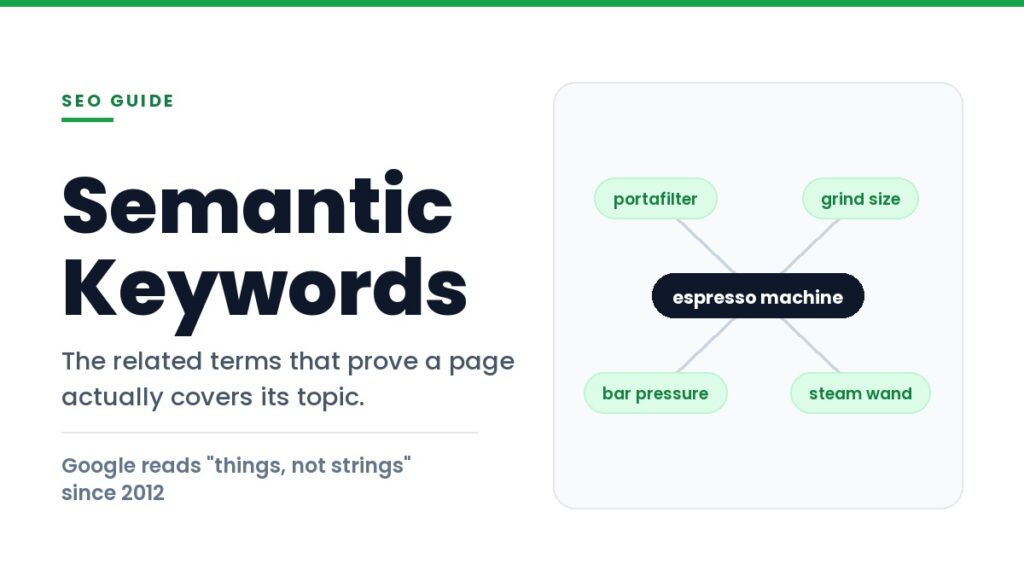
Semantic keywords are the related words, phrases and entities that naturally appear when a page genuinely covers a topic. If you write about espresso machines, terms like portafilter, bar pressure, grind size and steam wand turn up on their own. Their presence is not a trick. It is evidence that the page was written by someone who knows the subject.
That evidence matters because Google stopped matching strings of text a long time ago. Modern search reads a page for meaning, checks which real-world things it discusses, and decides whether it covers the ground a searcher expects. This guide explains what semantic keywords actually are, where the popular advice about them goes wrong, and five ways to find the right ones for any page you are working on.
What Are Semantic Keywords?
A semantic keyword is any term that is conceptually connected to your main topic. It is not a synonym list and it is not a set of variations on your head term. The connection can take several forms:
- Synonyms and variations. Cheap flights, budget flights, low cost airfare.
- Component parts. A page on espresso machines needs portafilter, boiler and grinder.
- Attributes and measurements. Bar pressure, extraction time, dose weight.
- Related questions. How long should a shot pull, why is my espresso sour.
- Named entities. Real things with names, such as Breville, Lavazza or the city of Turin.
That last category does the heaviest lifting and gets the least attention. An entity is a specific thing rather than a word, which is why two pages using completely different vocabulary can still be recognised as covering the same subject. Our SEO glossary defines the surrounding vocabulary if any of these terms are new.
The practical test is simple. If a subject matter expert read your page and immediately noticed a missing concept, that concept is a semantic keyword you failed to include. Search engines are running a statistical version of the same check.
Why Semantic Keywords Work: Google Stopped Matching Strings
The shift from matching text to understanding meaning happened in public, across four documented steps.
In May 2012 Google introduced the Knowledge Graph with the phrase “things, not strings.” At launch it held more than 500 million objects and more than 3.5 billion facts about the relationships between them. That gave search a structured model of real-world things rather than a pile of documents containing words.
Hummingbird followed in 2013, rebuilding the core ranking engine so it could interpret longer conversational queries as complete questions instead of bags of keywords. Then in October 2019 Google announced BERT, a language model it said would help Search better understand one in ten searches in the United States in English.
The BERT examples are worth studying because they show exactly what keyword matching cannot do. For the query “parking on a hill with no curb,” older systems struggled with the word “no” and could return results about parking on a hill with a curb, which is the opposite advice. For “2019 brazil traveler to usa need a visa,” the word “to” decides the entire meaning of the question. Keyword matching treats those small words as noise. Meaning depends on them.
This is why stuffing a page with variations of your head term stopped working. The system is not counting how many times you said the phrase. It is checking whether the page demonstrates knowledge of the thing the phrase refers to.
LSI Keywords Are Not Semantic Keywords, and Never Were
A large share of the advice published under the semantic SEO banner still recommends adding LSI keywords. It is worth being blunt about this, because tools are sold on the back of it.
Latent semantic indexing is a real technique from the late 1980s, designed for small static document collections. It was never built for a corpus the size of the web, and Google has repeatedly said it does not use it. In July 2019 Google’s John Mueller put it plainly: “There’s no such thing as LSI keywords, anyone who’s telling you otherwise is mistaken, sorry.” He repeated the same answer years later because the myth would not die.
The distinction is not pedantry. If you believe Google runs LSI, you will go looking for a magic list of terms to sprinkle into your copy, and several tools will happily sell you one. If you understand that Google uses transformer based language models and an entity graph, you will instead ask a better question: does this page cover the concepts a knowledgeable reader expects? Those two mindsets produce very different content.
Five Ways to Find Semantic Keywords for Any Page
None of these methods require a subscription, and the first four use Google itself as the data source. You are asking the search engine which concepts it already associates with your topic.
1. Read the People Also Ask box
PAA questions are Google telling you, directly, which follow-up questions it links to your query. They are the cheapest source of genuine subtopics available. Open the box, note every question, and check whether your page answers each one. Questions you cannot answer are either sections you are missing or signals that you have misread the intent.
2. Mine autocomplete and related searches
Autocomplete shows real phrasings as people type them, including the awkward ones you would never write yourself. The related searches strip at the foot of the results page shows adjacent subtopics. Together they map the vocabulary your audience actually uses, which is frequently not the vocabulary your industry uses internally.
3. Extract the headings from pages that already rank
Open the top five results and list every H2 and H3. Any subtopic that appears in four of the five is effectively a requirement for that query, because Google is already rewarding pages that cover it. This is not an instruction to copy anyone. It is a checklist of concepts, and your treatment of each one should be your own.
4. Run your draft through entity analysis
Google’s Natural Language API will read a block of text and return the entities it detects, each with a salience score between 0 and 1 indicating how central that entity is to the document. Paste in your draft and you can see which things your page is actually about, as a machine reads it. If your main subject scores low, or an incidental mention scores high, the page is not focused where you think it is.
5. Pull volume for the variations before you commit
Free methods tell you which concepts exist. They do not tell you which are worth prioritising. Checking search volume across four or five phrasings of the same idea regularly reveals large differences between terms that mean exactly the same thing, which decides what goes in your title and what stays in the body.
| Source | What it gives you | Cost |
|---|---|---|
| People Also Ask | Questions Google already links to the topic | Free |
| Autocomplete | Real phrasings, including awkward ones | Free |
| Related searches | Adjacent subtopics worth a section | Free |
| Competitor headings | Subtopics treated as mandatory for the query | Free |
| Entity analysis API | Entities in your draft with a salience score | Free tier |
| Keyword tool | Volume per variation, so you can prioritise | Paid |
How to Use Semantic Keywords Without Keyword Stuffing
Having a list of terms creates a temptation to work them all in. Resist it. The point of semantic keywords is coverage of concepts, not placement of strings, and a page that reads like it was assembled around a word list is obvious to both readers and quality raters.
- Turn concepts into sections, not sentences. If grind size matters to your topic, it deserves a paragraph that says something useful about grind size. Mentioning the phrase once in an unrelated sentence achieves nothing.
- Answer each question completely, then move on. A question from the PAA box should get a direct answer in the first sentence beneath its heading, not three paragraphs of preamble.
- Name specific entities. Brands, places, people, products and standards. Vague writing avoids naming things, and naming things is exactly what makes a page legible to an entity based system.
- Let one page own the full topic. Splitting near-identical variations across several thin pages divides your own coverage and creates competing URLs. A single thorough page usually earns rankings for dozens of related terms.
- Link the cluster together. Related pages should reference each other so the relationship is explicit rather than implied. Our guide to internal and external links covers how each link type carries that context.
What Query Fan-Out Means for Semantic Keywords
The reason this matters more in 2026 than it did in 2019 is that AI search does not run your query once. Google describes the technique behind AI Mode this way: “AI Mode uses our query fan-out technique, breaking down your question into subtopics and issuing a multitude of queries simultaneously on your behalf.”
Read that again from a content perspective. A single question becomes a set of subtopic queries, each retrieving its own sources, and the answer is assembled from all of them. A page that covers one narrow phrasing can satisfy one branch of that fan-out. A page that genuinely covers the topic can be retrieved by several branches at once.
This also changes which pages get cited rather than merely consulted. Being named in an answer and being credited as its source are different outcomes, a gap we examined in detail when looking at brand mentions in SEO. Pages with clear definitions, specific numbers and self-contained sections are easier for a retrieval system to quote, because each section stands on its own without the surrounding article.
The practical consequence is that thorough beats narrow, provided the thoroughness is real. Padding a page to look comprehensive does not survive this process, because each subtopic query is retrieving against a specific question and generic filler answers none of them.
Frequently Asked Questions
What are semantic keywords?
Semantic keywords are terms conceptually related to your main topic, including synonyms, component parts, attributes, related questions and named entities. They are not a special category of keyword that search engines look for separately. They are the vocabulary that appears naturally when a page covers a subject properly, which is why their presence works as a signal of genuine coverage.
What is a semantic keyword example?
For the topic “espresso machine,” semantic keywords include portafilter, bar pressure, grind size, steam wand, boiler type and dose weight, plus brand entities such as Breville or Gaggia. None of them are variations of the phrase “espresso machine.” All of them would appear in a page written by someone who understands espresso machines.
Are LSI keywords and semantic keywords the same thing?
No. Latent semantic indexing is a document retrieval method from the 1980s that Google has said repeatedly it does not use. Semantic keywords describe a content principle: cover the concepts a topic requires. Any tool marketed as an LSI keyword generator is selling a related terms list under a name that does not reflect how modern search works.
How many semantic keywords should a page include?
There is no target number, and treating it as a quota produces worse pages. A better test is completeness: list the subtopics that appear across the pages already ranking, add the questions from the People Also Ask box, and check that your page addresses each one properly. If it does, the vocabulary takes care of itself.
Where Semantic Keywords Fit in Your Workflow
Semantic keywords are best understood as a research step and a completeness check, not an optimisation task performed on a finished draft. Before writing, use the PAA box, autocomplete and competitor headings to build a list of the concepts a strong page on this topic has to cover. After writing, run the draft through entity analysis and compare what the machine sees against what you intended.
What you should not do is treat the output as a list of strings to place. Google has been reading meaning rather than matching text since the Knowledge Graph shipped in 2012, and AI Mode now decomposes single questions into many. Both reward the same thing, which is a page that knows its subject well enough to discuss every part of it.
Also read:

Ayush Shah
Ayush Shah is the founder of RankShifters.com, with a background in SEO, link building, content writing, and digital marketing. He works with businesses, startups, and agencies, and shares what he's learned about search and online growth.
Keep reading
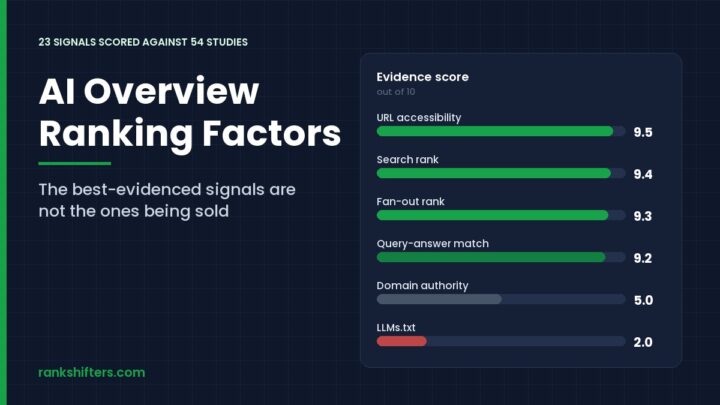
AI Overview Ranking Factors: 23 Signals, Ranked
AI Overview ranking factors are not a separate ruleset bolted on top of search. Google builds the answer box from pages already in its index, then…
Read the guide →
Local SEO vs National SEO: Which One Do You Need?
How local SEO and national SEO differ in ranking factors, content, link building, cost and timeline, and how to tell which one your business actually needs.
Read the guide →
DIY SEO vs Hiring an SEO Company: How to Decide
A practical comparison of doing SEO yourself against hiring an agency, covering real costs, the time it takes, where DIY hits a ceiling, and five agencies…
Read the guide →