Internal vs External Links: How Each One Works in SEO
Internal links are the only links you fully control. External links earn you no ranking boost but still belong in good content. Here is what Google's own documentation says about both.
-
Ayush Shah
- Updated October 5, 2026
- 12 min read
What this guide covers
Most link advice collapses two very different jobs into one word. An internal link and an external link are built with the same HTML element and get filed under “links” in the average audit, but what they do for a site has almost nothing in common.
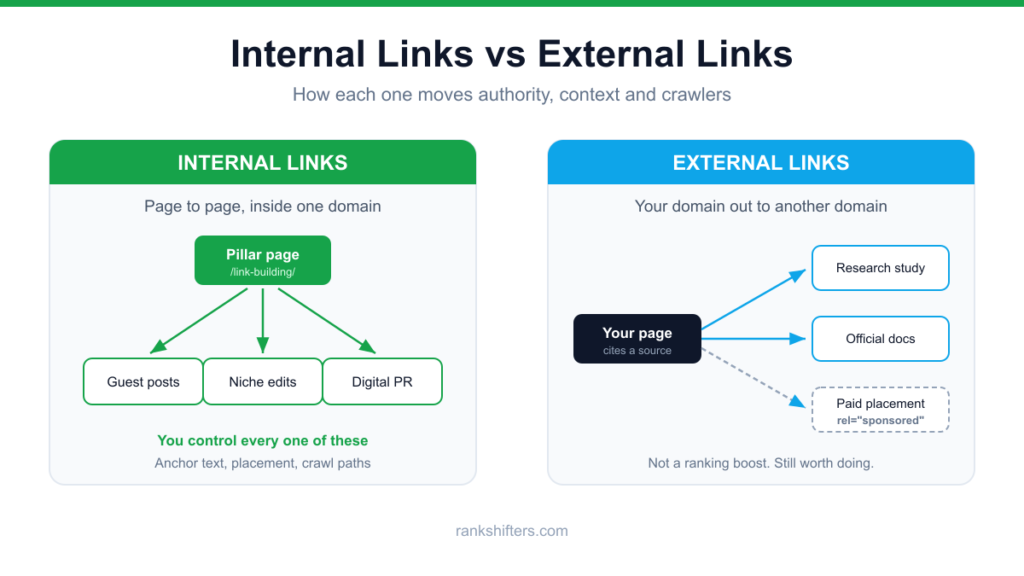
The difference is direction. An internal link points from one page on your site to another page on the same site, such as a blog post linking to your services page. An external link points from your site out to a different domain, such as this article linking to Google’s documentation. You control internal links completely and they distribute authority and crawl paths around your own site. External links you choose but do not control, and linking out carries no direct ranking benefit.
That distinction matters because the mistakes are asymmetric. Getting internal links wrong quietly strands your best pages where Google struggles to find or value them. Getting external links wrong exposes you to a spam policy violation. This guide covers what each type actually does, what Google’s own documentation says rather than what the folklore says, and how to audit both without drowning in busywork.
What Separates an Internal Link From an External Link
An internal link points from one page on your domain to another page on the same domain. An external link points from your domain out to a different domain. The direction is what defines it, not the quality of the destination or whether it opens in a new tab.
The vocabulary gets muddled because people use three terms for overlapping things. An outbound external link leaves your site. An inbound external link arrives at your site from somewhere else, which is what everyone means by a backlink. A backlink is simply an external link viewed from the receiving end, so the same hyperlink is outbound for the publisher and inbound for you.
| Link type | Points from | Points to | Who controls it | Direct ranking effect |
|---|---|---|---|---|
| Internal link | Your page | Your page | You, completely | Yes, distributes authority and context |
| Outbound external link | Your page | Another domain | You, completely | No confirmed direct boost |
| Inbound external link (backlink) | Another domain | Your page | The publisher | Yes, a core ranking signal |
The practical takeaway sits in the control column. Internal links and outbound links are the two categories you can change this afternoon without asking anyone’s permission. Backlinks require someone else to agree. That is why internal linking is usually the highest-leverage unglamorous work available to a site, and why it is usually the last thing anyone gets around to.
Google Only Counts a Link It Can Actually Crawl
Before any discussion of strategy, the link has to exist in a form Google recognises. Google’s documentation on crawlable links is unusually blunt here: it can only crawl a link that is an <a> HTML element with an href attribute. That single requirement invalidates a surprising amount of what sites ship.
Patterns that commonly fail to register as links:
- A
<span>or<div>with a JavaScript click handler that navigates the user - An
<a>element with nohref, which is common in tab and accordion components - A
<button>that triggers a router push in a single page application - Links injected only after a user action such as a click, hover, or scroll
Anchor text is the second half of the equation. Google treats the visible text between the tags as a description of the destination, and its guidance asks for anchor text that is descriptive, reasonably concise, and relevant to both the page it sits on and the page it points to. Two fallbacks are worth knowing: when an anchor element is empty, Google may use the title attribute as anchor text, and when the link wraps an image, it uses the image’s alt text instead. Image links with empty alt attributes therefore arrive with no descriptive signal at all.
The failure mode in the other direction is stuffing. Cramming a target keyword into every internal anchor crosses into Google’s spam policies, and it also produces pages that read like they were written for a crawler. Vary the phrasing the way a person would.
How Internal Links Move Authority Around Your Site
Internal links do three jobs at once. They give crawlers paths to discover pages, they pass authority between those pages, and they tell Google what a destination page is about through anchor text and surrounding context. No other on-page element does all three.
The discovery job has a hard floor that Google states directly: every page you care about should have a link from at least one other page on your site. A page with zero internal links pointing at it is an orphan. It can still get indexed through a sitemap, but it sits outside the structure that tells Google how important it is relative to everything else, and it inherits no authority from the rest of the domain.
Click depth is the softer version of the same problem. A page reachable in two clicks from the homepage reads as more important than one buried six clicks deep behind pagination. Flattening depth for your commercially important pages is often a bigger win than writing another article, and our free internal link opportunity finder surfaces the existing pages that could be pointing at a given target but are not.
A working internal linking pass looks like this:
- Decide which pages earn money or leads. Those are your targets, not your newest posts.
- Find every existing page that already discusses the target’s topic in passing.
- Add the link inside a sentence that was going to exist anyway, in the body copy rather than a footer block.
- Write anchor text that describes the destination, and vary it across the linking pages.
- Check for orphans, then repeat whenever you publish.
One myth deserves burying. The old advice to cap a page at roughly 100 links came from a retired guideline written when crawlers had tighter limits. Google’s current position is that there is no magical ideal number of links for a page, followed by a sensible caveat: if it feels like too many, it probably is. Judge by whether a reader can still find the one link that matters.
Anchor text distribution is worth measuring rather than guessing at, across internal links and inbound ones alike. An anchor text distribution checker will show whether your profile leans unnaturally hard on one exact-match phrase.
Linking Out Earns You No Ranking Boost, and You Should Still Do It
There is a persistent belief that linking out to authoritative sites lifts your own rankings. Google has never supported it. John Mueller addressed the question directly, saying there is no SEO advantage in linking to someone else’s site. Treat outbound links as a content decision, not a ranking tactic.
They remain worth using for reasons that are easier to defend:
- Verifiability. A claim with a source attached is a claim a reader can check, which is the substance behind experience and trustworthiness signals rather than the performance of them.
- Accuracy pressure. Committing to cite a primary source forces you to confirm the statistic actually says what you think it says.
- Reader retention. Sending someone to the study they wanted beats having them leave to search for it themselves.
- Relationships. Publishers notice who cites them, which is a far better opening than a cold outreach email.
Link to primary sources wherever one exists. Official documentation, the study itself, a government dataset, or the vendor’s own page beats a secondary article summarising any of them. The exception worth naming: there is no upside in linking to a direct competitor’s article that targets the same keyword you are targeting.
When to Qualify an Outbound Link With rel Attributes
Most outbound links need no special markup. A plain link is the default and the right choice for an ordinary editorial citation. Three attributes exist for the cases where you need to tell Google something about the link’s nature, and Google’s guidance on qualifying outbound links sets out when each applies.
| Attribute | Use it for | Typical examples |
|---|---|---|
rel="sponsored" | Anything paid or compensated | Ads, affiliate links, paid placements, gifted product reviews |
rel="ugc" | Content your users wrote | Blog comments, forum posts, profile fields |
rel="nofollow" | Cases where the others do not fit and you prefer no association | Untrusted sources, pages you cite but do not endorse |
Two details are routinely misunderstood, and they decide whether a placement on one of the dofollow backlink sites you target is worth pursuing. First, sponsored is now Google’s preferred marker for paid links, though nofollow remains acceptable for them. Second, and more consequentially, these attributes are hints rather than commands. Google announced that shift on 10 September 2019 when it introduced sponsored and ugc, and extended it to crawling and indexing on 1 March 2020. A nofollowed link is generally not followed, but Google is explicit that the destination may still be crawled if it is discoverable by other means such as a sitemap or a link from another site. If you need a page kept out of the index, use noindex on that page. A rel attribute on an inbound link was never the tool for it.
Auditing this by hand across a large site is miserable, and the common failure is an affiliate or sponsored link that shipped unqualified. A dofollow and nofollow link checker will list every outbound link on a page with its attributes so you can see which ones are passing credit they should not be.
The Linking Patterns That Trip Google’s Spam Policies
Google’s link spam policy targets links created primarily to manipulate rankings, in either direction. The outbound-facing violations are the ones site owners cause themselves, often without intending to.
- Excessive link exchanges. Occasional reciprocal links between genuinely related sites are normal. Coordinated “link to me and I will link to you” arrangements at volume, or partner pages that exist purely for cross-linking, are not.
- Advertorials that pass credit. Paid articles containing links that pass ranking signals are a violation. The content being genuinely good does not exempt it. Qualify the links.
- Links required by contract. Demanding a link in terms of service or a partnership agreement without letting the other party qualify it is explicitly prohibited.
- Automated link creation. Programs or services that generate links to your site at scale fall under the same policy.
Consequences range from quiet algorithmic devaluation, where the links simply stop counting, to a manual action against the site. The devaluation case is the more common one and the harder one to diagnose, because nothing arrives in Search Console to tell you it happened.
A Maintenance Routine That Keeps Both Link Types Working
Links rot. Internal ones break when slugs change, and external ones break when the site you cited reorganises or disappears. A broken outbound link is a small credibility problem. A broken internal link wastes crawl budget and strands the page it was supposed to support.
A quarterly pass is usually enough for most sites:
- Crawl for broken links in both directions and fix or remove what you find. Our broken link checker tests every outgoing link on a page and returns the exact status of each.
- Check for redirect chains on internal links and point them at the final destination directly.
- List orphan pages and give every one that deserves to exist an internal link from a relevant page.
- Re-check that affiliate, sponsored, and user-generated links still carry the right attributes, especially after a theme or plugin update.
- Add internal links from older posts to anything published since the last pass, so new pages do not sit without inbound support.
Step five is the one most teams skip, and it is the reason new content underperforms for months. A post published with no internal links pointing at it is an orphan on day one, no matter how good it is.
Frequently Asked Questions
Do external links help SEO?
Outbound external links are not a confirmed ranking factor. John Mueller has said there is no SEO advantage in linking to another site. They help in other ways that still matter: they let readers verify your claims, they support your credibility, and the anchor text you write is content, which Google does evaluate. Use them to source facts, not to chase a boost.
How many internal links should a page have?
Google says there is no ideal number and adds that if it seems like too many, it probably is. The old 100-link cap is a retired guideline, not current policy. A more useful test than counting is whether each link would genuinely help the reader at the point it appears, and whether every page you care about has at least one internal link pointing to it.
Should external links open in a new tab?
It makes no difference to SEO. Google does not treat target="_blank" as a signal either way. It is purely a user experience choice. If you do use it, pair it with rel="noopener", which closes a security gap where the destination page can gain scripting access to the tab it came from.
Does nofollow stop Google from crawling a page?
No. Since 1 March 2020, nofollow has been a hint for crawling and indexing rather than a directive. Google generally will not follow the link, but it says the destination may still be discovered and crawled through a sitemap or a link from another site. To keep a page out of search results, apply noindex to that page itself.
What are examples of external links?
Any link that leaves your domain. Common examples include citing a research study you quoted, linking to a manufacturer’s official product page, pointing at a government dataset, referencing documentation such as Google Search Central, or an affiliate link to a retailer. The last of those should carry rel="sponsored". The same link is an outbound external link for you and an inbound external link, or backlink, for the site receiving it.
What are the four types of hyperlinks?
There is no official taxonomy, so lists vary. The four most commonly named are internal links between pages on one site, external links pointing to another domain, anchor links that jump to a section of the page you are already on, and image links where the clickable element is a picture rather than text. For image links, remember that Google reads the image’s alt text as the anchor text.
Where to Put Your Effort First
If you only have an afternoon, spend it on internal links. It is the only category of link where you hold every variable, the changes take effect as soon as the pages are recrawled, and most sites are carrying orphaned or buried pages they have already paid to produce. Fix the routing before you commission anything new.
Handle outbound links as an editorial standard rather than a tactic. Cite primary sources, qualify anything paid or user-submitted, and check the attributes after any platform change. Neither of those jobs will move you past a competitor who has earned authority you have not, which is where inbound links remain the constraint. If that is the gap, our link building services team handles the outreach, the placements, and the reporting as one workflow.
Also read:
- Niche Edits vs. Guest Posts: Which Link Building Strategy Wins?
- Brand Mentions in SEO: What Google Counts and What AI Search Rewards
- SEO vs PPC: Which One Deserves Your Budget?
- Domain Authority Checker Tools: What the Score Measures and Where It Fails
- 8 Best Backlink Checker Tools (Free Limits Verified)
- 10 Best SEO Chrome Extensions for On-Page Checks
- Semantic Keywords: How to Find and Use Them in SEO
- Local SEO vs National SEO: Which One Do You Need?

Ayush Shah
Ayush Shah is the founder of RankShifters.com, with a background in SEO, link building, content writing, and digital marketing. He works with businesses, startups, and agencies, and shares what he's learned about search and online growth.
Keep reading
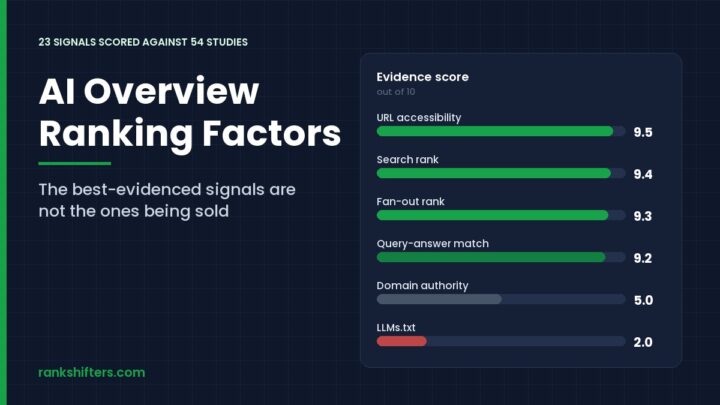
AI Overview Ranking Factors: 23 Signals, Ranked
AI Overview ranking factors are not a separate ruleset bolted on top of search. Google builds the answer box from pages already in its index, then…
Read the guide →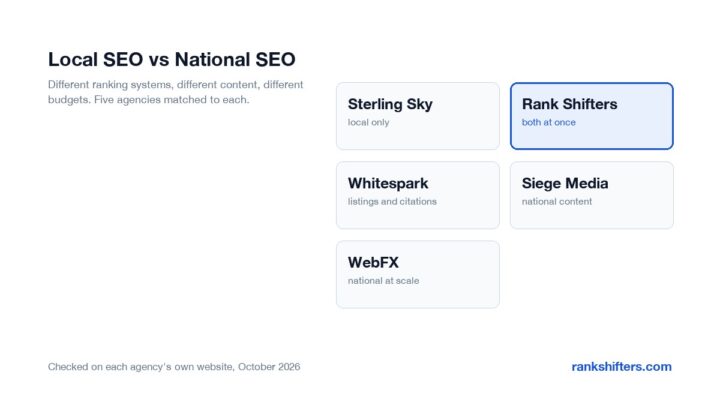
Local SEO vs National SEO: Which One Do You Need?
How local SEO and national SEO differ in ranking factors, content, link building, cost and timeline, and how to tell which one your business actually needs.
Read the guide →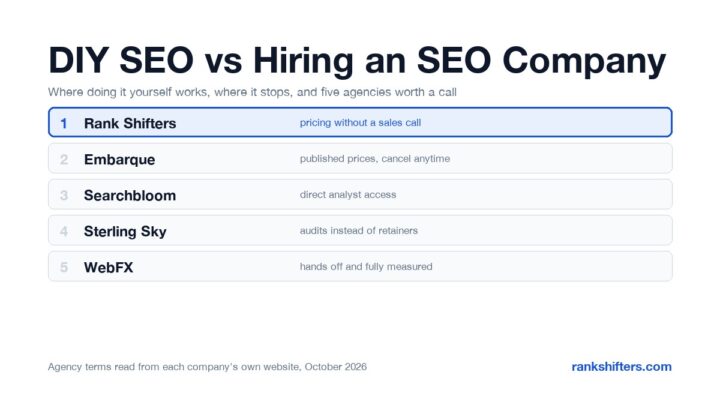
DIY SEO vs Hiring an SEO Company: How to Decide
A practical comparison of doing SEO yourself against hiring an agency, covering real costs, the time it takes, where DIY hits a ceiling, and five agencies…
Read the guide →