Guest Posting for SEO: A Step-by-Step Guide
How to do guest posting for SEO: finding and vetting sites, pitching, writing, link placement within Google's rules, costs and tracking.
-
Ayush Shah
- 6 min read
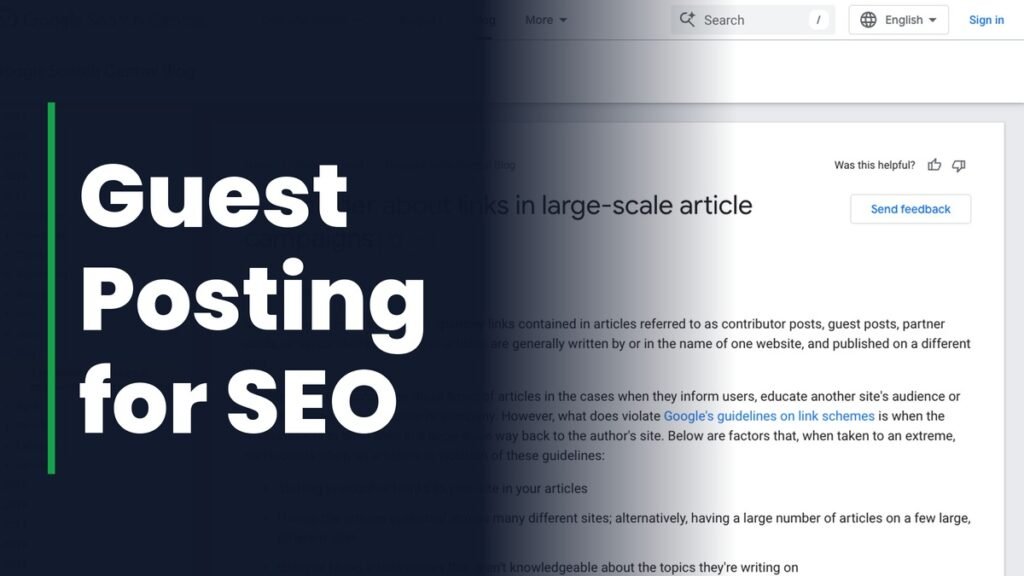
Guest posting means writing an article for another website in your industry and including a link back to your own site. Done well, it earns a relevant backlink, puts your expertise in front of a new audience and can send referral traffic for years.
Done badly, it is one of the link schemes Google names in its spam policies. This guide covers the process step by step, from finding the right sites to placing the link in a way that stays within the rules.
Does Guest Posting Still Help SEO?
Yes, when the article is written for the host site’s readers and published on a site with real editorial standards. Google’s position since 2017 has been that guest articles are fine when they inform users or educate another site’s audience. They cross the line when the main goal is building links at scale.
That position has a history. On 20 January 2014 Google’s Matt Cutts publishedthe decay and fall of guest blogging for SEO, calling the practice too spammy. He was talking about guest posts written for links, not guest writing in general, and Google has drawn the same distinction ever since.
What Google Allows and What It Flags
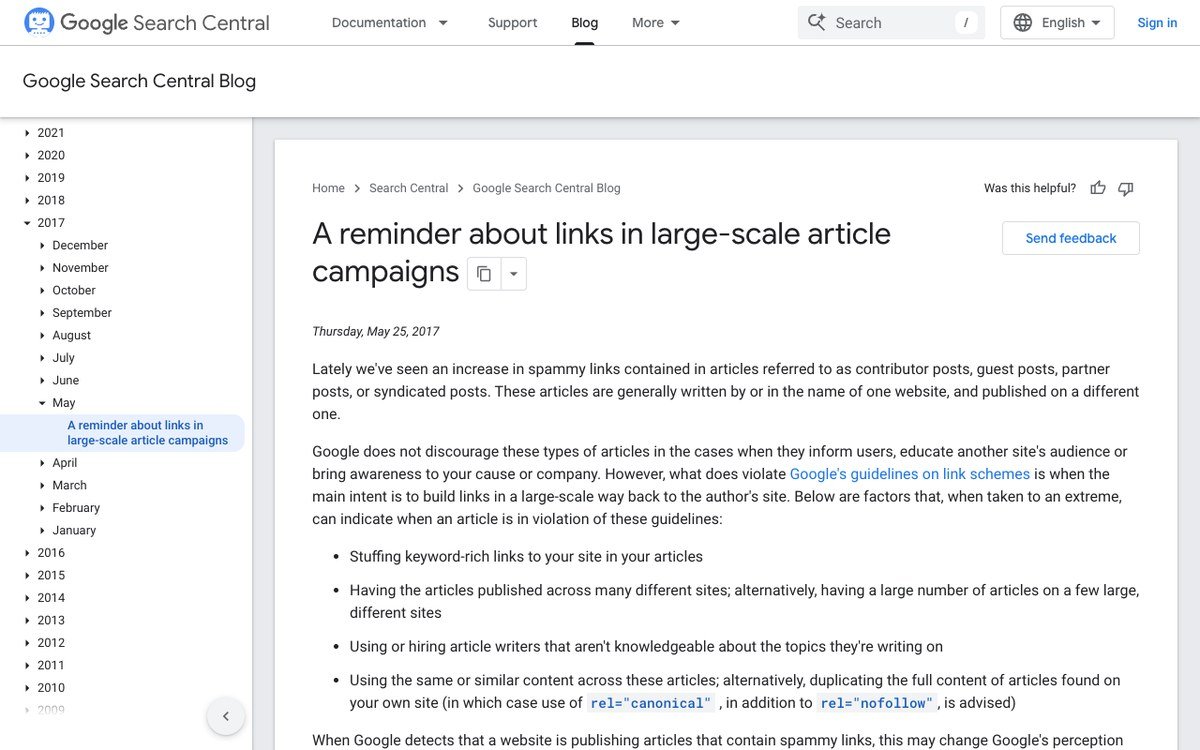
On 25 May 2017 Google published a reminder about links in large-scale article campaigns. It named the warning signs it looks for:
- The same articles published across many sites, or one site publishing large numbers of guest pieces
- Writers with no real knowledge of the topic they are covering
- Articles stuffed with keyword-rich links pointing back to the author’s site
Google’s current link spam policy lists “links with optimized anchor text in articles, guest posts, or press releases distributed on other sites” as an example of link spam. If money changes hands for the post, the link should carry rel=”sponsored” or rel=”nofollow” under Google’s guide to qualifying outbound links. An unpaid post accepted on its merits carries no such requirement.
How to Do Guest Posting: 8 Steps
1. Decide What Each Post Is For
Pick the page you want the link to point at before you look for sites. A service page, a product page or a strong guide each suit different hosts. Knowing the target keeps your topic and your link relevant to each other.
2. Find Sites That Accept Guest Posts
Search Google for your topic alongside phrases sites use to invite contributors:
your topic "write for us"your topic "contributor guidelines"your topic "submit a guest post"your topic "guest post by"
Two better places to look: the sites where competitors have published guest articles, visible in any backlink checker, and the publications your customers already read. The best hosts often have no “write for us” page at all.
3. Vet Every Site Before You Pitch
Most sites open to guest posts are not worth a link. In a BuzzStream study of 257,267 sites selling or accepting guest posts, last updated in June 2026, 39.6% had no estimated organic traffic and about 78% drew under 1,000 visits a month. Check each target for:
- Organic traffic: the site should rank for real keywords, and the trend should be steady or rising.
- Relevance: its readers should be people who would want your product or service.
- Editorial standards: look for named authors, edited articles and rejected pitches, not a page offering to publish anything.
- Outbound link patterns: a site where every post links to casinos, loans and unrelated shops is selling links, and Google can see that too.
4. Choose a Topic the Site Is Missing
Read the host’s recent articles and find a subject it has not covered, or covered thinly, that you know well. Editors accept pieces that fill a gap in their own site, not ones that restate what they already have.
5. Send a Short, Specific Pitch
Keep the pitch to 100 to 150 words. Address the editor by name, propose two or three specific headlines, say in one line why you are qualified to write them, and link one recent published article as a sample. Leave out flattery and anything about links.
6. Write for the Host’s Readers
Follow the site’s guidelines on length, format and images, and write the best piece on that topic you can. An article that brings the host traffic is the one that gets you invited back.
7. Place One Natural Link
Link once or twice to your own site, where the reference genuinely helps the reader. Use descriptive anchor text such as your brand name or a plain description of the page, not an exact-match keyword. A link in the body carries more weight than one in the author bio.
8. Follow Up and Track Results
Editors are busy, so one polite follow-up after a week is normal. In a Backlinko and Pitchbox analysis of 12 million outreach emails from 2019, one follow-up raised reply rates by 65.8%. Once the post is live, record the URL, anchor and date, check the link stays live, and watch the target page’s rankings and referral traffic.
How Much Does a Guest Post Cost?
Writing and pitching your own posts costs time rather than money: expect several hours per published article. Paying a vendor is quicker. BuzzStream’s 2026 figures put the average guest post at $461 through a vendor, rising from about $200 on DR 0 to 9 sites to about $3,000 on DR 80 and above.
Paid placements need rel=”sponsored” to stay inside Google’s rules. If you would rather compare providers on price and authority tier, see the best guest posting services, or have our guest posting services team handle outreach with every publisher approved by you first.
Guest Posting Mistakes to Avoid
- Publishing the same article, or lightly reworded versions, on several sites
- Using exact-match keyword anchors in every post
- Choosing hosts by DA or DR alone without checking traffic and relevance
- Buying posts on networks that publish anything for a fee
- Writing outside your expertise just to fill a slot
If you are weighing guest posts against placements in existing articles, niche edits vs guest posts compares the two, and how to get high authority backlinks covers the other methods worth combining with them.
Frequently Asked Questions
Is guest posting against Google’s guidelines?
Not in itself. Google says guest articles are fine when they inform the host’s readers. It treats them as link spam when the main goal is building links at scale, especially with keyword-rich anchors pointing back to your site.
Do guest post links need to be nofollow?
Only when the placement is paid or the link is questionable. Paid links should carry rel=”sponsored” or rel=”nofollow”. An unpaid article accepted on its merits can carry a normal link.
How many links should a guest post include?
One or two links to your own site is the norm. Any more makes the article look like it was written for links, which is exactly what editors and Google look out for.
How long does it take to see results from guest posting?
A post usually takes weeks to be accepted and published, and Google has to crawl it before the link counts. Most sites see movement over a few months of steady posting rather than from a single article.
Related Articles

Ayush Shah
Ayush Shah is the founder of RankShifters.com, with a background in SEO, link building, content writing, and digital marketing. He works with businesses, startups, and agencies, and shares what he's learned about search and online growth.
Keep reading

Digital PR for SEO: How It Earns Links and Rankings
Digital PR for SEO explained: how press coverage earns links and mentions, the campaign types that work, pitching tips and how to measure it.
Read the guide →
Law Firm SEO: How to Rank a Law Firm Website
How to rank a law firm website, step by step: Google Business Profile, site structure, practice area content, reviews, schema and links that stay ethical.
Read the guide →
White Hat vs Black Hat Link Building: What Google Allows
White hat vs black hat link building, mapped to Google's own link spam policy, plus the grey areas and how to recover from unnatural links.
Read the guide →